Offline OCR Smart Vaults Voice Notes 100% Private
What is Snapi?
Snapi is a smart screenshot management app designed for people who take a lot of screenshots but struggle to find them later. Instead of scrolling through hundreds of images, Snapi automatically intercepts every new screenshot, reads its content using offline OCR, and files it into the right smart vault — instantly.
Whether it's a receipt, a code snippet, a social media post, or a handwritten note, Snapi reads, labels, and stores it. Everything stays completely on your device — no cloud uploads, no account required, no data ever leaves your phone.
Beyond organization, Snapi lets you attach voice notes to captures, search across image text and audio transcripts at once, and recover accidentally deleted screenshots from its built-in trash system.
Built for Power Users
Offline OCR
Extracts text from your screenshots entirely on-device. No internet required, no data leaves your phone.
Auto-Detection
Snapi silently watches for new screenshots in the background and instantly organizes them into smart vaults.
Voice Notes
Attach audio memos to any capture. Record context, reminders, or thoughts right next to the image.
Smart Search
Search across image text, titles, tags, and voice transcripts simultaneously with lightning-fast results.
Smart Vaults
Captures are auto-categorized into Albums, Receipts, Code, Text, and more — all without any manual effort.
Recovery System
Accidentally deleted a screenshot? Snapi's trash bin and recovery system bring it back in seconds.
See Snapi in Action
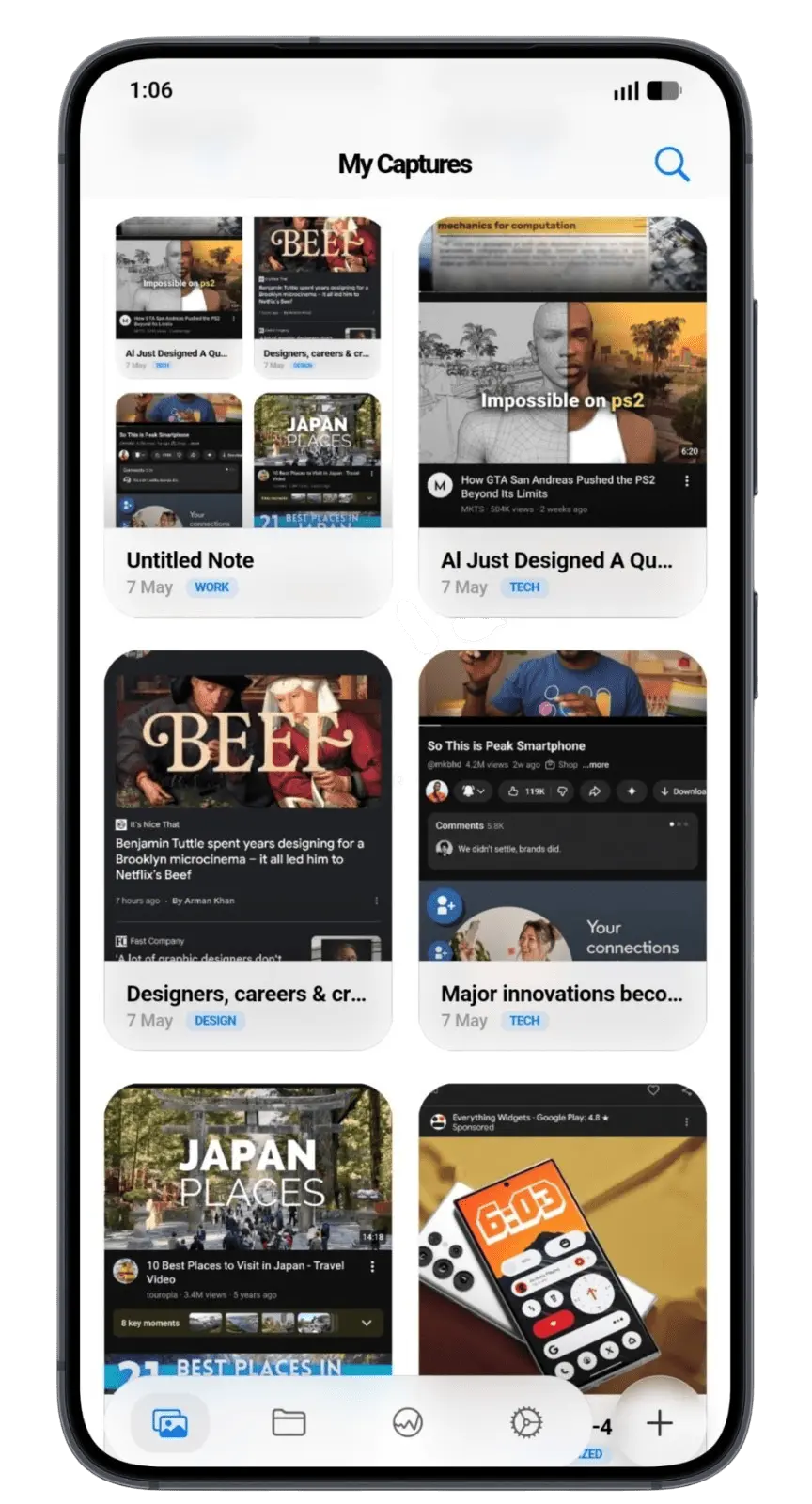
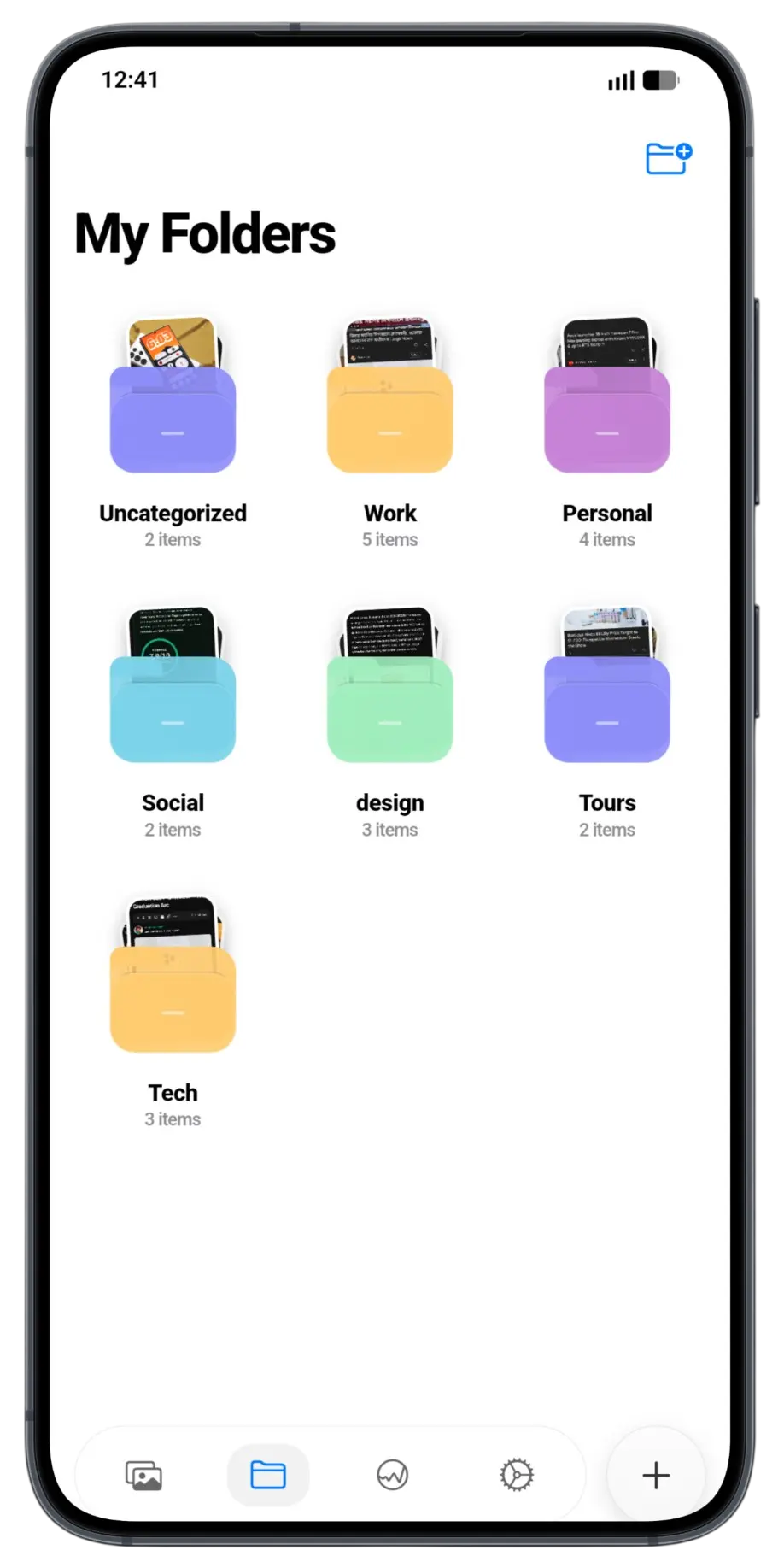
Your Privacy, Guaranteed.
1. Data Collection
Snapi does not collect any personal data. All screenshot content, OCR text, voice notes, and metadata are stored exclusively on your device and never transmitted to any server.
2. On-Device Processing
All text extraction (OCR), voice transcription, and categorization happens entirely on-device using local machine learning models. No image or audio data is sent to the internet at any point.
3. No Account Required
Snapi requires no user account, email address, or phone number to function. You can use all features anonymously from the moment you install the app.
4. Storage Permissions
Snapi requests access to your photo library solely to detect and process new screenshots. We do not access, upload, or share any other photos or media.
5. Microphone Permission
Microphone access is only used when you explicitly record a voice note. The app does not record audio passively or in the background.
6. Third-Party Services
Snapi does not integrate with any third-party analytics, advertising, or tracking services. There are no SDKs that report usage data.
7. Data Deletion
Uninstalling Snapi permanently removes all app data from your device. There is no server-side data to request deletion of, because we never stored any.
8. Changes to This Policy
Any updates to this Privacy Policy will be reflected within the app. Continued use of Snapi after changes constitutes acceptance of the updated policy.
9. Contact
If you have questions about this Privacy Policy, you can reach us via the contact section of the Blue Samurai website.
Last updated: September 2026 · Blue Samurai Studio
Interested in Snapi?
See all our other products or get in touch with the team.